The Modern Case for Physical Media Digitization
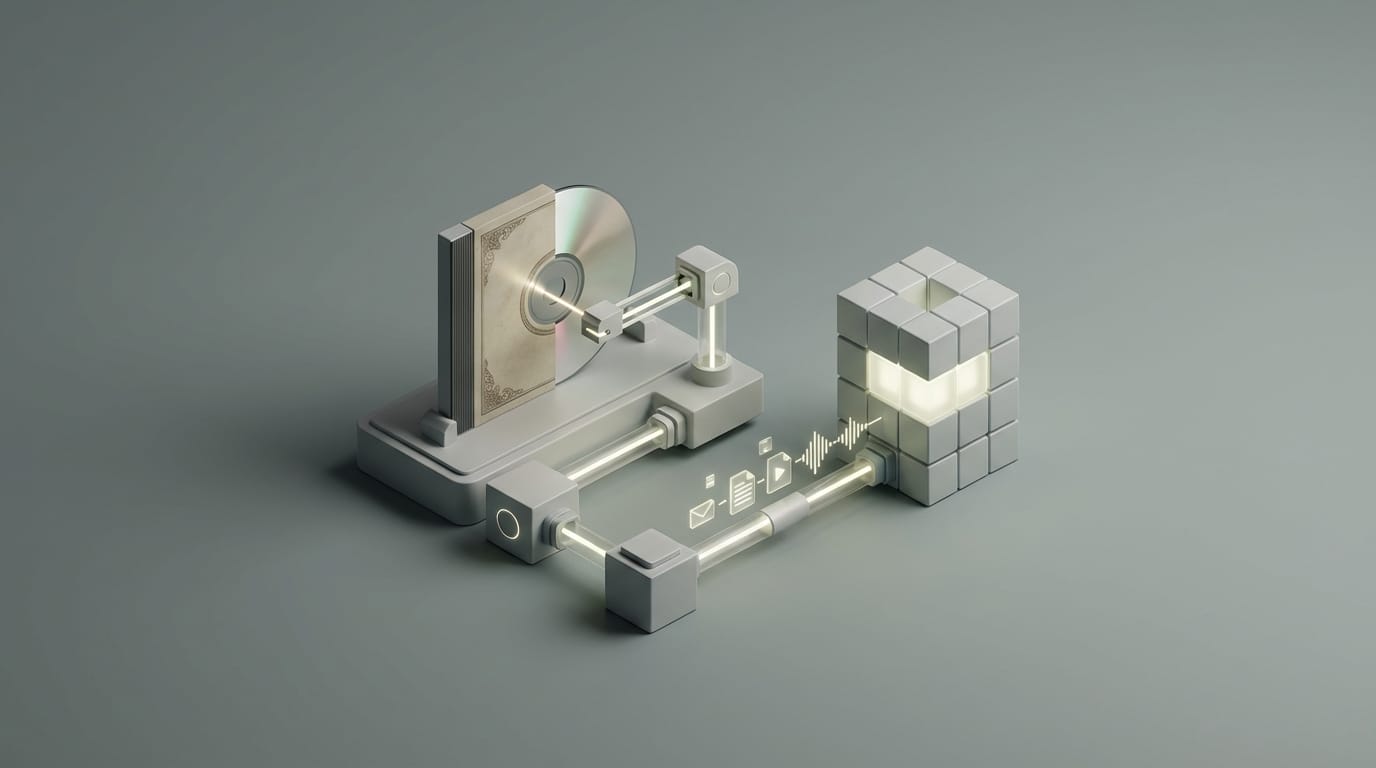
The true value of a digital music library goes far beyond its small size. It allows you to keep master-quality sound while you enjoy the thrill of browsing a large collection through a smooth screen. When you digitize cd collection files, you do more than just move music from a disc to a drive. You build a lasting, searchable archive that often sounds better than what your old player could provide. This transition helps you move past the problems of old laser parts and the fragile nature of plastic discs. By turning your library into a perfect digital format, you make sure the specific version of your favorite album stays with you forever.
Moving to a digital library mostly happens because people want to save the original sound. Streaming services have improved, but they still often use compressed files or change volume levels in ways that ruin the music. A standard CD uses high-quality audio that captures everything humans can hear without adding strange noise. Streaming platforms often swap original tracks for newer versions that sound loud but lose the quiet details. If you own an original press from the 1980s, it likely sounds much better than the version on a subscription app. Keeping your specific pressings allows you to listen to the music exactly how you prefer it.
You must also consider the physical health of your discs. Companies once marketed CDs as perfect sound forever, but the metal layer inside can rot over time. Small scratches might not stop a player today, but they lead to data loss later. Some discs made in the 1990s even show signs of bronzing or tiny holes that make them unplayable. Extracting the data now creates an exact copy that does not care about the health of the plastic disc. Digital files do not wear out when you play them, so you can enjoy your rarest albums as much as you want without fear of damage.
Maintaining lossless quality in a streaming world
Streaming services focus on ease of use, which often means they value small file sizes over pure sound. Even when a service says a song is high-quality, the music travels through many layers of software that can change the data. When you manage your own files, you control the path from the drive to your speakers. This ensures that the sounds you hear are exactly what the studio engineer intended. You also avoid the risk of albums disappearing because of new business deals or licensing changes. Owning the files means your music works even if you are offline or if a service goes out of business.
Many music fans notice that streaming versions of old rock or jazz albums lack the depth of the original discs. This happens because modern versions are often made to sound good on cheap earbuds rather than high-end home systems. By saving your own discs, you protect the dynamic range of the music. These files stay on your server as a private library that no one can take away or change. This shift toward private ownership has become a popular way to fight the rental nature of modern media in 2026.
Protecting against disc rot and physical degradation
Physical discs face many risks that digital bits do not. Heat, light, and moisture can all damage the layers of a CD. While your player tries to fix small errors on its own, it eventually fails if the damage is too deep. Moving your collection to a computer or a server removes this mechanical risk. While hard drives can fail, you can make copies of digital data much more easily than you can fix a broken disc. A hardware failure becomes a small chore rather than a permanent loss of your music.
This process also saves space in your home while making your music easier to find. A wall of CDs is hard to search and takes up a lot of room. A digital server fits in a small corner and lets you find any song in seconds. You get the best of both worlds because you keep the high sound quality of the physical disc but gain the speed of a modern app. This makes your music a part of your daily life again instead of something that sits on a shelf gathering dust.
Selecting Hardware for Bit-Perfect Extraction
Your hardware choice decides if your project succeeds or fails. A cheap laptop drive usually values thinness over accuracy. If you want to digitize cd collection assets properly, you need an external drive that can read discs in a secure mode. This mode finds and fixes errors that occur when a disc is old. The goal is a bit-perfect copy, which means the file on your computer is a perfect match for the data on the disc. This is harder than it sounds because CDs were made to keep playing even if they missed a few bits of data.
Good hardware reduces the need for software to guess what a missing bit should have been. Large internal drives that you plug into a USB port often work better than small portable ones. The extra weight of a full-sized drive stops vibrations that can cause read errors. This stability helps the laser stay on track, especially if a disc is slightly warped. Using a high-quality drive ensures that your digital archive is as accurate as possible from the very first step.
Choosing a high-quality external optical drive
Modern drives from brands like LG or ASUS work very well when you pair them with the right tools. You should look for a drive that supports C2 error pointers. This feature lets the hardware tell the software exactly when it hits a spot on the disc it cannot read. Instead of ignoring the error, the software can then slow down and try again. This teamwork between the drive and the computer is the secret to a perfect copy.
You should avoid using the cheapest drives found in most stores. These often lack the power to read through tough scratches and may give you files with pops or clicks. A heavy drive in a solid case provides a much better platform for the laser. This setup might cost a bit more, but it saves time because you will not have to rip the same disc multiple times to get a clean result. A solid drive is a smart investment for anyone with hundreds of albums to process.
The role of drive offset and error correction
Every disc drive has a tiny flaw called an offset. This is a small gap between where the laser thinks the data starts and where it actually begins. To get a perfect result, your software needs to fix this gap by moving the data by a few samples. Most professional tools do this for you by checking a global list of drive models. Once the software knows your drive, it corrects the offset so your files match the original master exactly.
Error correction is the other part of a good setup. When a disc has a scratch, the drive might see different data each time it looks at that spot. Secure mode software reads the same spot many times and compares the results. If the results match, the software knows the data is right. If they do not match, the software keeps trying until it finds the truth. This process ensures that your digital files do not have the skips or noise that a regular CD player might produce.
Audio Codecs for High Fidelity and Compatibility
Once you pull the data from the disc, you must store it in a file. In 2026, storage is cheap, so you should not use low-quality formats like MP3. You should choose a lossless format instead. These files act like a ZIP folder for your music. When you hit play, your device opens the file and plays the original sound without losing a single bit of detail. There is no difference in sound between these files and the original CD, but they take up less space on your drive.
FLAC is the best choice for most people because it is open and works on almost every device. It also handles labels and album art very well. If you use mostly Apple products, ALAC is a better fit because it works perfectly with the Apple Music app. Since both are lossless, you can change your files from FLAC to ALAC later without losing any quality. This flexibility makes them much better than old formats that lose data every time you change them.
FLAC vs ALAC for lossless storage
FLAC stands for Free Lossless Audio Codec and it is the standard for high-end audio. Most home speakers and network players from companies like Bluesound use it. It is a very safe choice for long-term storage because it is not owned by any one company. If you build your library in FLAC, you can be sure that devices will still be able to play it many years from now. It is a robust format that keeps your music safe and organized.
ALAC is Apple’s version of the same idea. It is the best choice if you listen to music on an iPhone or a Mac. While Apple devices can play FLAC with special apps, ALAC works right out of the box. You do not have to worry about which one is better for sound because they are identical in that way. Your choice should depend only on what devices you like to use for listening. Both will give you a perfect copy of your CD collection.
Why WAV is often inefficient for library management
WAV files are the raw data from the disc. While they are pure, they are a bad choice for a home library because they do not store information well. In a WAV library, you often see files named Track 01 instead of the actual song title. This makes it very hard for a server to organize your music. You might end up with a mess of files that you cannot search or sort by artist.
WAV files also take up much more space than FLAC or ALAC. A large library might take up 700GB in WAV but only 400GB in FLAC. This extra space costs more money when you pay for backups or fast drives. Since there is no gain in sound quality, using WAV is a waste of resources. Lossless formats give you the same perfect sound while making your library much easier to use and manage.
Best Software Tools to Digitize CD Collection
The software you use acts as the brain of the whole project. To digitize cd collection folders with professional results, you should avoid basic players like iTunes or Windows Media Player. Those programs value speed over accuracy and often ignore read errors. This can leave you with files that have hidden glitches. Instead, you should use tools that check your work against a database called AccurateRip. This system compares your file to copies made by other people to prove yours is 100% correct.
AccurateRip gives you peace of mind. If your file matches the database, you know your drive read the disc perfectly. If it does not match, the software will tell you there might be an error. This way, you do not have to listen to every track to make sure it sounds right. Using professional tools ensures that your digital library is a perfect replica of the original music.
Exact Audio Copy for Windows enthusiasts
Exact Audio Copy or EAC is the most famous tool for Windows users. It has been around for a long time and is known for its power to read damaged discs. It will try to read a bad spot on a disc hundreds of times if it has to. While the screen looks a bit old, the tech inside is the best you can find. It creates a log file for every disc that proves the copy is perfect.
Setting up EAC takes a bit of work because you have to tell it about your drive. But once you finish the setup, it is very easy to use. It handles all the labels and covers for you while it rips the music. For people who want the most accurate files possible, EAC is the gold standard. It turns a difficult task into a precise science.
XLD and dBpoweramp for cross-platform efficiency
If you use a Mac, X Lossless Decoder or XLD is the best choice. It works like EAC but is built for Apple computers. It supports AccurateRip and handles all the details of your music files. It can even add your new files to your music library automatically. It is a simple but powerful tool that ensures your Mac creates high-quality files every time.
For those who want a faster option that works on both Windows and Mac, dBpoweramp is a great paid tool. It uses all the cores of your computer to work much faster than other programs. It also pulls data from many sites at once to make sure your song titles and album art are correct. This saves you from having to type in the names of every song yourself.
Managing Metadata and Digital Liner Notes
A digital library is only as good as its labels. These labels, called metadata, tell your player the artist, the year, and the genre. If you do not fix these labels, your library will become a mess. For example, if some songs are labeled The Beatles and others just say Beatles, your server will think they are two different bands. Fixing these tags makes your music much easier to find and enjoy.
Most good software finds this data for you from sites like MusicBrainz or Discogs. These sites are like big encyclopedias for music. They have the names of every person who played on a track and the exact day the album came out. Using this data makes your library feel professional and rich with information. It turns a list of files into a real collection that you can explore.
Preserving the tactile experience with high-res artwork
One common complaint is that digital music feels less real than a physical disc. You can fix this by using high-quality album art. A small, blurry picture does not feel the same as holding a real cover. You should look for art that is large and clear. Some people even scan the booklets and the back of the CD cases to keep as part of the digital folder.
You can save these scans as pictures or PDF files. High-end players can then show these notes while you listen. This lets you read the credits and look at the photos just like you did with the original disc. It brings back the ritual of listening and makes the experience feel more complete. You are not just playing a file; you are engaging with the art.
Building Your Personal High-Fidelity Music Server
Once you digitize cd collection files, you need a way to play them. A dedicated music server or a Network Attached Storage (NAS) box is the best choice. These devices stay on all the time and send your music to any room in your house. You do not have to plug in your laptop every time you want to hear a song. Companies like Synology make small, quiet boxes that hold your music and keep it safe.
A NAS uses multiple drives to protect your data. If one drive breaks, the others have a copy of the music so you do not lose anything. This system makes your library much safer than a single drive in a computer. It also allows everyone in your house to listen to different songs at the same time from the same server. It is the heart of a modern home audio system.
Roon vs Plex for advanced library management
For the best experience, Roon is the top choice for music lovers. Roon does not just list your songs; it builds a digital book for your music. It links your albums to biographies and reviews. If you are listening to a jazz track, Roon can show you other albums where the same drummer plays. This helps you find new favorites in your own collection that you might have forgotten.
If you want a tool that also handles movies, Plex is a great option. Its music app, Plexamp, is very smooth and easy to use. It can build playlists based on how the music feels and lets you stream your home library to your phone anywhere in the world. This lets you have your own private version of Spotify that sounds much better and contains only the music you love.
Establishing a Long-Term Digital Backup Strategy
The biggest risk to a digital library is a dead hard drive. If you spend weeks scanning thousands of CDs, you must protect that effort. A single accident could wipe out all your work in seconds. A smart approach is the 3-2-1 rule. This means you keep three copies of your data on two different types of storage, with one copy kept in a different building.
Having a server with two drives is not a backup. If a power surge hits the server, both drives might die. You need a separate copy on a drive that you only plug in when you are making a backup. This protects your music from most accidents. It ensures that even if something goes wrong, your music stays safe.
The 3-2-1 backup rule for media collections
- Three Copies: Keep your main library, a local copy on an external drive, and a third copy in the cloud.
- Two Media Types: Use different types of drives to store your music so a single brand’s failure does not hurt you.
- One Off-site: Keep a copy in the cloud or at a friend’s house to protect against fire or theft.
Cloud services like Backblaze are a great way to handle the off-site copy. They work in the background and upload new songs as you add them to your collection. This creates a safety net so you never have to worry about losing your music. By combining good hardware, the right files, and a strong backup plan, you turn your old CDs into a modern asset. You are no longer just playing music; you are keeping a private museum of sound that is safer and better than the discs ever were.