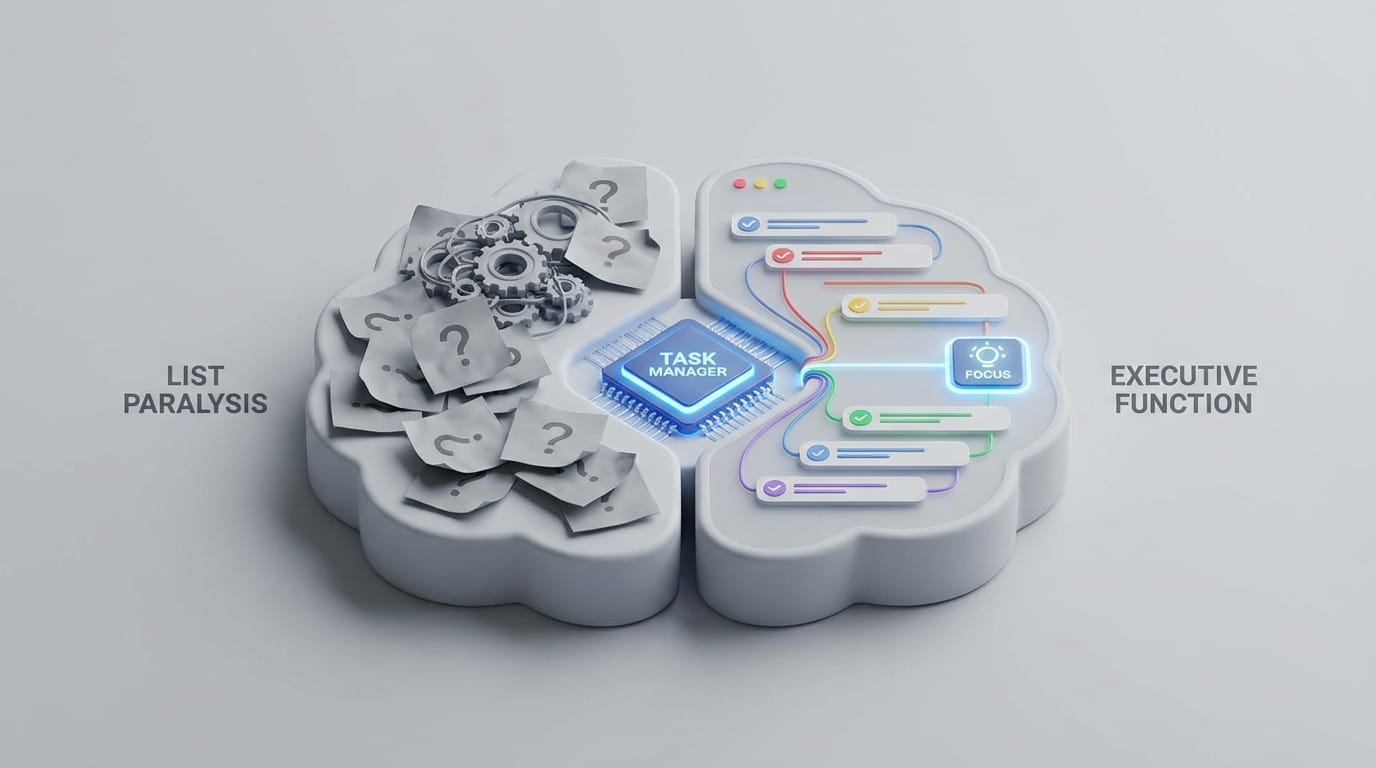
List paralysis occurs not from a lack of ambition, but from the cognitive friction of translating vague, high-level goals into actionable starting points. To bridge this gap, we analyzed the best task managers for list paralysis to identify which systems move beyond data storage and actually facilitate the cognitive process of initiation.
When discussing productivity, the focus often settles on execution. However, for many professionals—particularly those managing neurodivergence or high-stress environments—the primary obstacle is decision-making. When a list grows too long or contains abstract items, the brain’s executive functions can stall, leading to a state of frozen inaction.
The Psychology Behind List Paralysis
Defining Executive Dysfunction
Executive dysfunction is not a character flaw or a lack of discipline. In engineering terms, it is a failure of the “scheduler” in the brain’s operating system. The prefrontal cortex is responsible for organizing, prioritizing, and initiating tasks. When this system is overwhelmed, it loses the ability to distinguish between a small, urgent task and a large, complex project.
For those experiencing list paralysis, every item on a to-do list carries the same perceived weight. “Buy milk” and “Write quarterly report” both register as looming obligations. This flat hierarchy makes it impossible for the brain to select a starting point, resulting in a total system shutdown. The internal processor enters an infinite loop, attempting to solve for the “correct” starting point without sufficient data to prioritize.
Why Traditional Lists Increase Cognitive Load
Traditional lists are often graveyards for good intentions. They increase “cognitive load”—the amount of mental effort required by the working memory. When you see a task like “Plan vacation,” your brain must work to determine its meaning. It must decide whether to search for flights, check the budget, or request time off before any physical action can occur.
This ambiguity triggers what psychologists call the “Wall of Awful.” It is an emotional barrier built out of failure, shame, and anxiety. Because the brain perceives a vague task as an unquantifiable threat, it chooses avoidance as a survival mechanism. This shame spiral often leads to “procrastivity,” where a person completes low-value tasks to avoid the looming, undefined project. The best task managers for list paralysis proactively dismantle this wall by removing the need for immediate, high-level decision-making.
The goal of a task management system is not to remember every obligation; it is to provide a reliable external framework that identifies exactly what to do right now.
The Science of Micro-chunking
The core solution to list paralysis is a strategy known as micro-chunking. This involves decomposing a project into its smallest possible units—steps so granular they feel almost trivial. By reducing the “activation energy” required to start, you bypass the brain’s threat response.
Reducing Initiation Friction
Initiation friction is the resistance felt when transitioning from rest to work. If a task is correctly micro-chunked, the first step should take no more than five minutes and require zero secondary decisions. For example, instead of “Draft quarterly report,” the task becomes “Open the Word template and save it as ‘Q1_Report’.” The latter is objectively easy, making the “cost” of starting low enough for the brain to accept.
When the first step is finished, the barrier to the second step—perhaps “Copy the headers from the previous report”—is significantly lower. This progression transforms a monumental project into a series of minor, manageable actions that do not trigger the executive function’s defensive shutdown.
The Dopamine Loop of Small Wins
Checking off a task releases a small burst of dopamine, the neurotransmitter responsible for motivation and reward. In a traditional list, a user might wait several hours to complete a major task before receiving that chemical reward. With micro-chunking, one might check off four items in twenty minutes. This creates a positive feedback loop, building the momentum necessary to tackle larger, more complex chunks later in the day.
The Best Task Managers for List Paralysis: Automated Decomposition
The most significant hurdle for many is the act of breaking the task down. If you are already paralyzed, the mental labor required to micro-chunk can feel impossible. This is where AI-driven decomposition tools change the equation by handling the structural thinking for the user.
Goblin Tools and Magic ToDo
Goblin Tools is a suite of single-task AI tools specifically designed for neurodivergent individuals. Its “Magic ToDo” feature is one of the most effective remedies for list paralysis currently available. You enter a vague task, and the AI generates the necessary sub-steps.
What sets this apart is the “spiciness” level—a setting that allows you to adjust how granular the breakdown should be. If you are feeling particularly overwhelmed, you can set it to high “spiciness,” and it will break “Wash the dishes” down into steps as small as “Stand up” and “Walk to the sink.” It removes the cognitive load of planning, leaving only the execution.
Taskade AI Workflows
Taskade approaches task management through structured hierarchies. While it functions as a robust project management tool, its AI generator allows users to turn a single prompt into a comprehensive mind map or checklist. For someone facing a blank screen, having a system generate a 50% complete outline is often enough to break the paralysis and allow for manual refinement. It bridges the gap between a blank page and a structured plan.
AI Schedulers for Automated Prioritization
Once tasks are broken down, the next barrier is choice fatigue—the exhaustion that comes from having to choose which task to do first. AI schedulers solve this by treating your to-do list as a set of constraints for your calendar, effectively deciding the “when” on your behalf.
Motion and the Algorithmic Calendar
Motion is an intelligent calendar that acts as an automated project manager. Instead of you deciding when to do a task, you input the task’s priority and its deadline. Motion’s algorithm then builds a schedule for you, fitting tasks into the gaps between your meetings. It calculates the optimal path through your day based on your availability and hard deadlines.
When a meeting runs over or a new priority emerges, the system automatically reshuffles your entire day. This prevents the “failed day” spiral, where one missed task causes a person to abandon their remaining plans. By taking the choice out of the day, it allows the user to focus purely on the task the screen presents.
Trevor AI for Time Blocking
Trevor AI focuses on the time-blocking method. It syncs with your task list and your calendar, encouraging you to drag and drop tasks into specific time slots. It provides suggestions based on your habits and helps you visualize exactly how much time you actually have. For individuals who struggle with “time blindness”—the inability to accurately sense how long a task will take—this visual mapping is essential for creating a realistic day.
Intentional Daily Planners for Focus
Some systems focus on the ritual of planning rather than the automation of it. This is often more effective for those who feel constrained by algorithms and need a sense of agency to feel motivated. These tools emphasize the transition into the workday as a deliberate practice.
Sunsama and Guided Daily Planning
As one of the best task managers for list paralysis, Sunsama is built around a “morning ritual.” Every day, it walks you through a guided process: What did you do yesterday? What do you want to do today? Do you have too much on your plate? It integrates with tools like Slack, Email, and Jira, allowing you to drag tasks directly into your daily schedule.
Sunsama prevents overwhelm by encouraging you to defer tasks to later in the week if your daily limit is reached. It prioritizes a “calm” workday over a high-volume one, which often leads to higher output by preventing burnout. The system acts as a gentle editor for your day, reminding you that your time is a finite resource.
Akiflow for Centralized Input
Akiflow solves the problem of fragmented information. Often, paralysis stems from having tasks scattered across email, Slack, and various browser tabs. Akiflow pulls all of these into a single “inbox,” allowing you to process everything in one place. It reduces the context switching that often leads to mental fatigue and subsequent paralysis, ensuring no task remains hidden in a forgotten tab.
Visual and Minimalist Systems for Reduced Friction
For some, the complexity of modern software is the source of the problem. A system with too many buttons and features can be a distraction. In these cases, reducing the interface to its barest essentials can lower the barrier to entry.
TeuxDeux for Simple Constraints
TeuxDeux is a minimalist, text-based planner that mimics a paper diary. It offers a simple weekly view where tasks automatically roll over to the next day if unfinished. There are no priority levels, tags, or folders. This lack of complexity is a feature; it limits the number of decisions you have to make about the system itself, making it one of the best task managers for list paralysis for those who prefer an analog feel with digital convenience.
Trello for Spatial Organization
Trello uses a Kanban board system of cards and columns. This is effective for visual thinkers who need to see their work moving through a process. The “Done” column provides a psychological reward; seeing a stack of completed cards provides concrete evidence of progress. This visual history of success helps combat the feeling of being “stuck” by proving that you are capable of movement.
Building a System to Prevent Future Paralysis
No tool can permanently eliminate executive dysfunction, but a well-designed system can minimize its impact. The goal is to move from a reactive state—responding to whichever task is shouting the loudest—to a proactive state where the path forward is clear before you begin.
Establishing the Review Cadence
The most important part of any task management system is the “Weekly Review.” This is a dedicated 30-minute block where you look at your backlog, clear out items you are never going to do, and prepare for the coming week. Without this maintenance, any task manager will eventually become a source of stress rather than a solution. A standard review should include:
- Clearing the Inbox: Processing all new tasks and categorizing them into projects.
- Verifying Deadlines: Ensuring your “Next Actions” are actually current and realistic.
- Pruning the List: If a task has been sitting for a month, ask if it is still necessary.
When to Delete Rather Than Reschedule
We often carry “zombie tasks”—items we feel we should do but have no real intention of starting. These tasks are primary drivers of list paralysis. They create a background hum of guilt that drains mental energy. If you have rescheduled a non-essential task more than three times, it is often better to delete it or move it to a “Someday/Maybe” list. Removing the obligation is often the fastest way to regain focus on what actually matters.
Effective task management for those prone to paralysis is about narrowing the field of vision. By using tools that automate the breakdown of work and the scheduling of time, you protect your executive function for the work itself, rather than the management of the work. The best task managers for list paralysis are ultimately the ones that disappear into the background, allowing you to move from thinking to doing with the least possible resistance.